Our own chart interface on established foundations. With routes that belong to the system.
Native charts · route drafts and workspacesUpdated: 1 November 2026
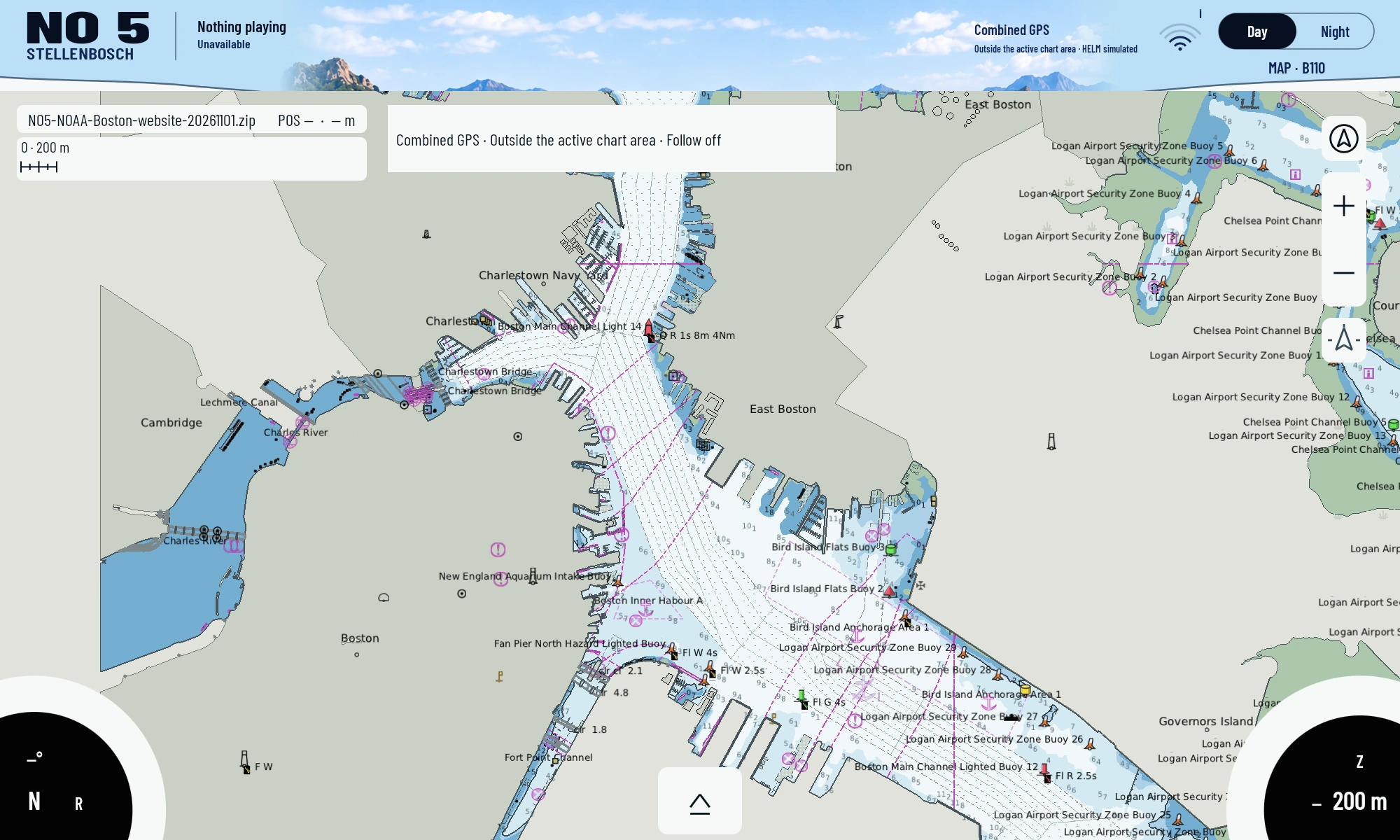
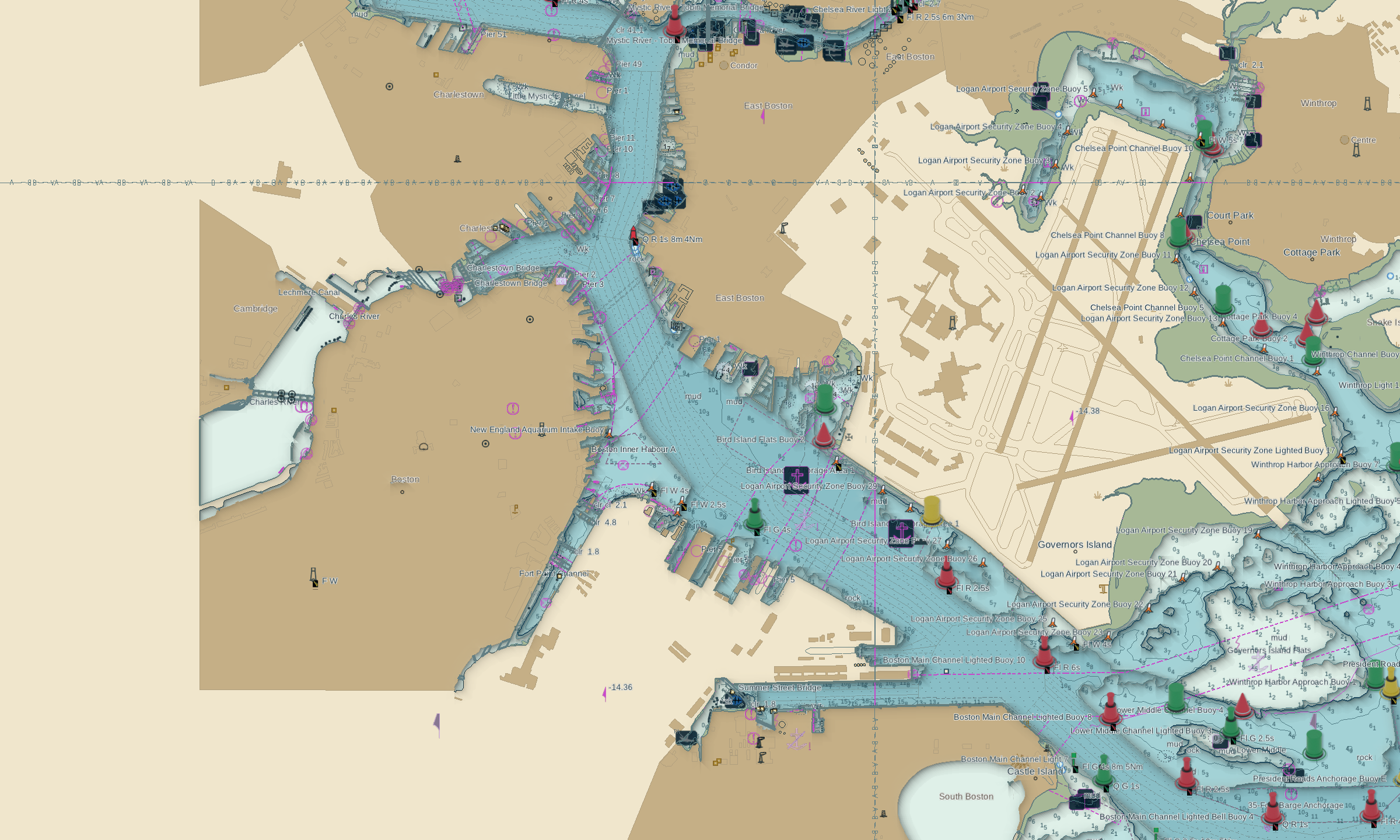
Current device capture on 1 November: NOAA Boston charts rendered locally on the Lumina. The chart dataset was accessed on 3 October; position outside the chart area, other header data simulated or unavailable.MAP110 ·0.5.42-memory-budget-v8 · Lumina K706 · Android10 ·2000×1200
01 / STARTING POINT
What we wanted to solve.
We wanted charts inside our own Android interface: pan and rotate, inspect objects, select layers and edit routes. An embedded external interface did not provide the control we wanted.
WHAT THIS COMPONENT MAKES POSSIBLE
The practical difference.
Charts, routes and object information can share our native control environment. Rendering happens locally on the device; shared data paths remain on the network.
Physical MAP 110 trials on 26 October went beyond the early style images: 96 cells, rotation and restart were checked. Loading after deleting data and returning still failed. Current images show MAP 110 after normal import of the existing NOAA Boston test package on 1 November. Earlier NOAA style studies are presented solely as development history.
After the first integration attempts, we built a separate chart path. The renderer uses ported OpenCPN/S52 foundations; it is not a chart library invented from scratch.
GPU rendering, touch interaction, memory use and continuous coverage were investigated separately. Physical-device tests mattered because a fast host test does not establish a fast Lumina.
Routes use Signal K rather than a new isolated format. Local drafts support editing while disconnected. The gateway mediates the standard interface.
03 / RESULTS
What exists today.
MAP 110 is documented on both Luminas. The tested package retained 96 chart and background cells concurrently; targeted rotation checks passed.
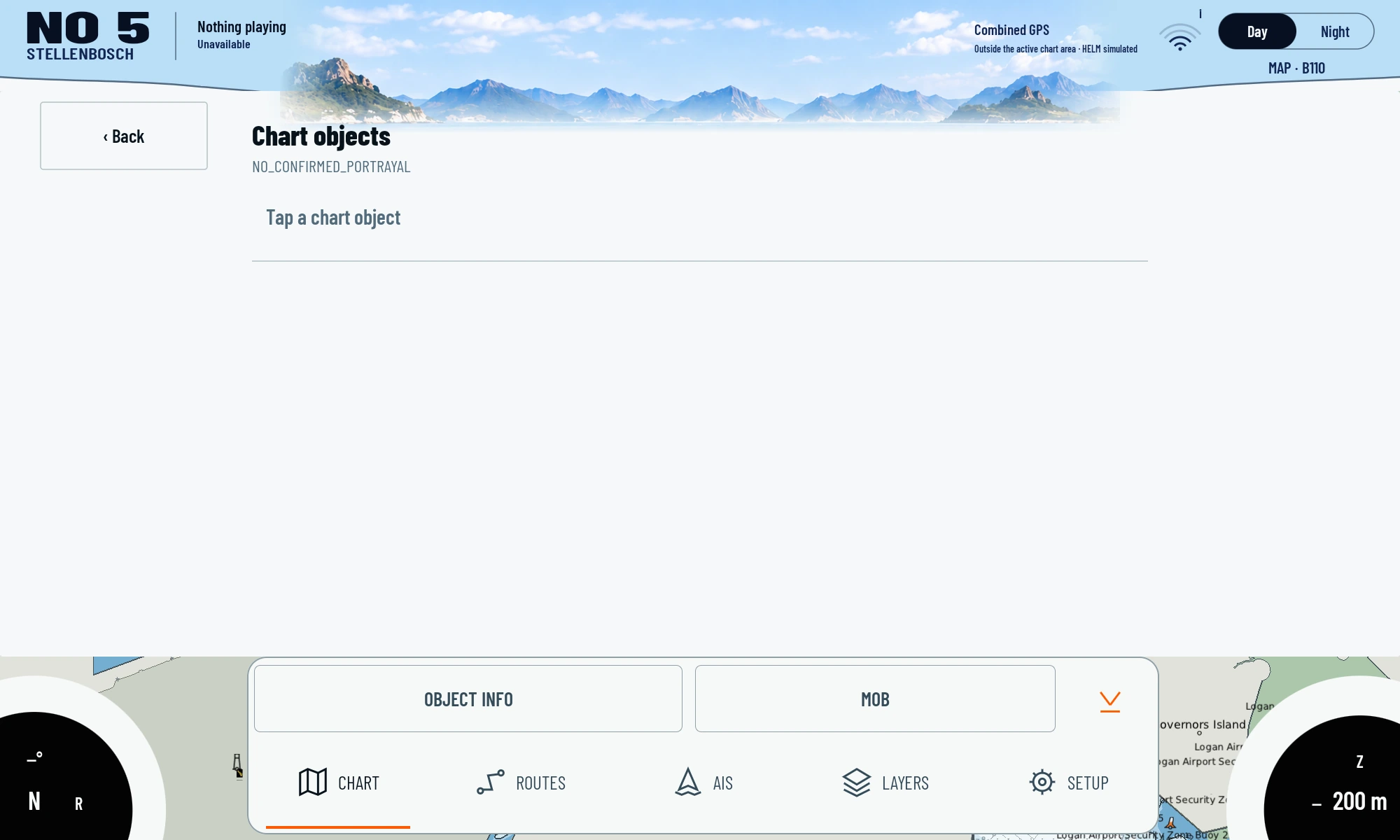
Chart styles, layers and route interaction are implemented. The current object query returned NO_CONFIRMED_PORTRAYAL rather than object attributes; the device capture shows this specific limit.
Route integration has a standard path through Signal K and local drafts.
Images show the development revisions identified in their captions. Today’s source may be newer than an existing image.
NATIVE DEVICE CAPTURE45 s · 1×
The current chart on the affordable display.
Almost 45 seconds from the installed native MAP 110 app: pan Boston Harbour, zoom in and out, rotate 45 degrees, return north up and briefly open the Layers workspace. Uncut original speed, without music.
Almost 45 seconds from the installed native MAP 110 app: pan Boston Harbour, zoom in and out, rotate 45 degrees, return north up and briefly open the Layers workspace. Uncut original speed, without music.
Four existing NOAA Boston cells as a rendering example, not a current nautical chart service or acceptance aboard a boat. Touch input was automated through ADB, including a stepwise two-finger rotation whose automated input takes about 19 seconds here. Recording rate and input sequence do not measure app frame rate, GPU time or display latency. A separate object query returned NO_CONFIRMED_PORTRAYAL.
An uncut sequence on the physical Lumina: appearance, schematic style preview, chart content and the existing chart library. Every screen comes from the installed native MAP app.
An uncut sequence on the physical Lumina: appearance, schematic style preview, chart content and the existing chart library. Every screen comes from the installed native MAP app.
Supplementary UI tour; not proof of chart panning, zooming, rotation or rendering speed. The schematic style preview is not a rendered nautical chart. No settings were applied.
Direct captures of the installed apps. Captions identify device, version and data source; a displayed measurement is only as strong as the source described there.
Detailed view after a native zoom step in MAP 110. NOAA S57 Boston dataset; current app capture, not a current nautical chart service or a speed measurement.MAP110 ·0.5.42-memory-budget-v8 · Lumina K706 · Android10 ·2000×1200
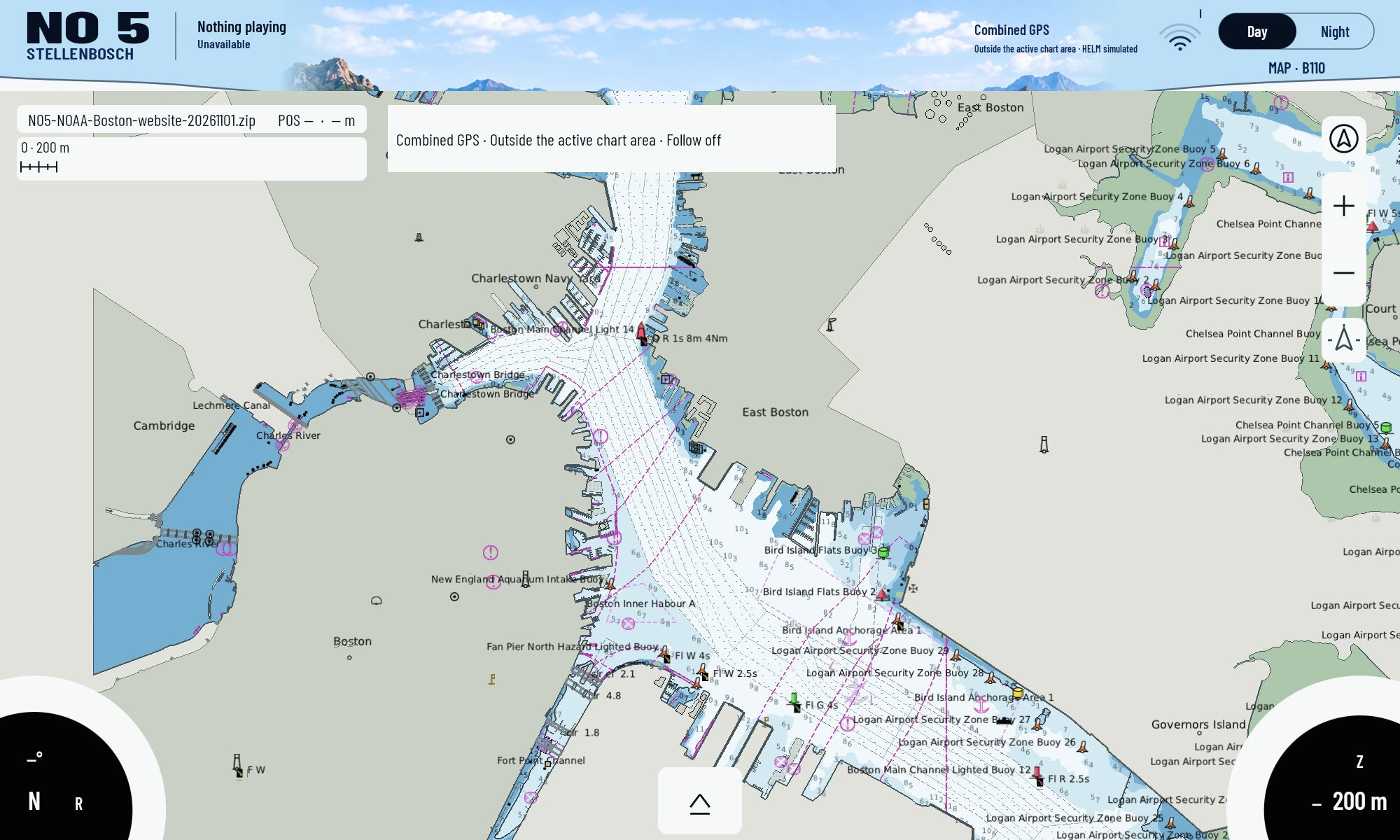
Current native device view after a 45-degree two-finger rotation. Original NOAA Boston geometry; the image file was not rotated afterwards.MAP110 ·0.5.42-memory-budget-v8 · Lumina K706 · Android10 ·2000×1200
MAP 110 after using the existing north-up control: the same Boston view, with rotation reset.MAP110 ·0.5.42-memory-budget-v8 · Lumina K706 · Android10 ·2000×1200
The native routes workspace on 1 November. The connected Signal K list reported 0 routes; this capture does not claim an existing planned voyage.MAP110 ·0.5.42-memory-budget-v8 · Lumina K706 · Android10 ·2000×1200
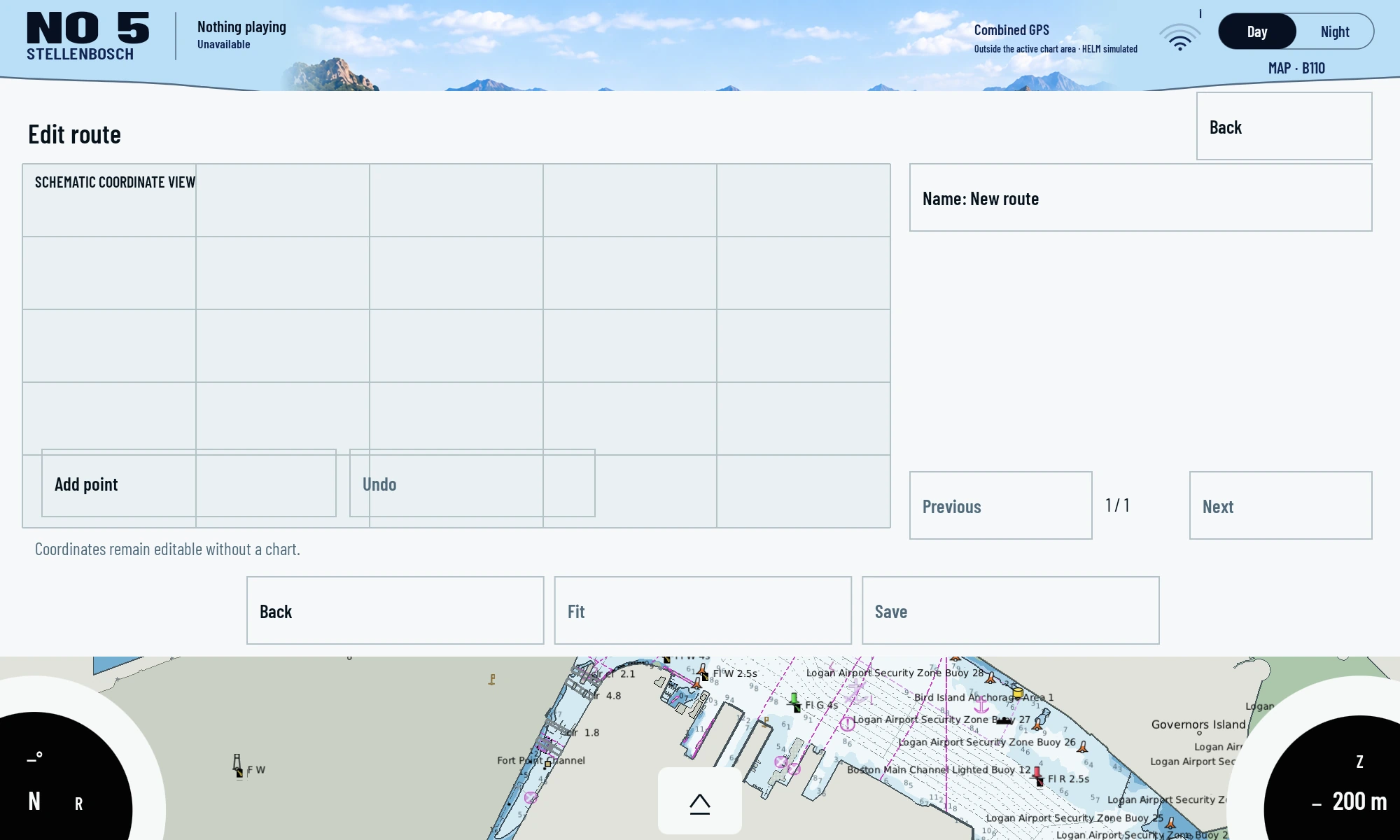
Current MAP 110 editor with a newly opened empty draft. The coordinate view is schematic. The draft was subsequently discarded; no route was saved to the service.MAP110 ·0.5.42-memory-budget-v8 · Lumina K706 · Android10 ·2000×1200
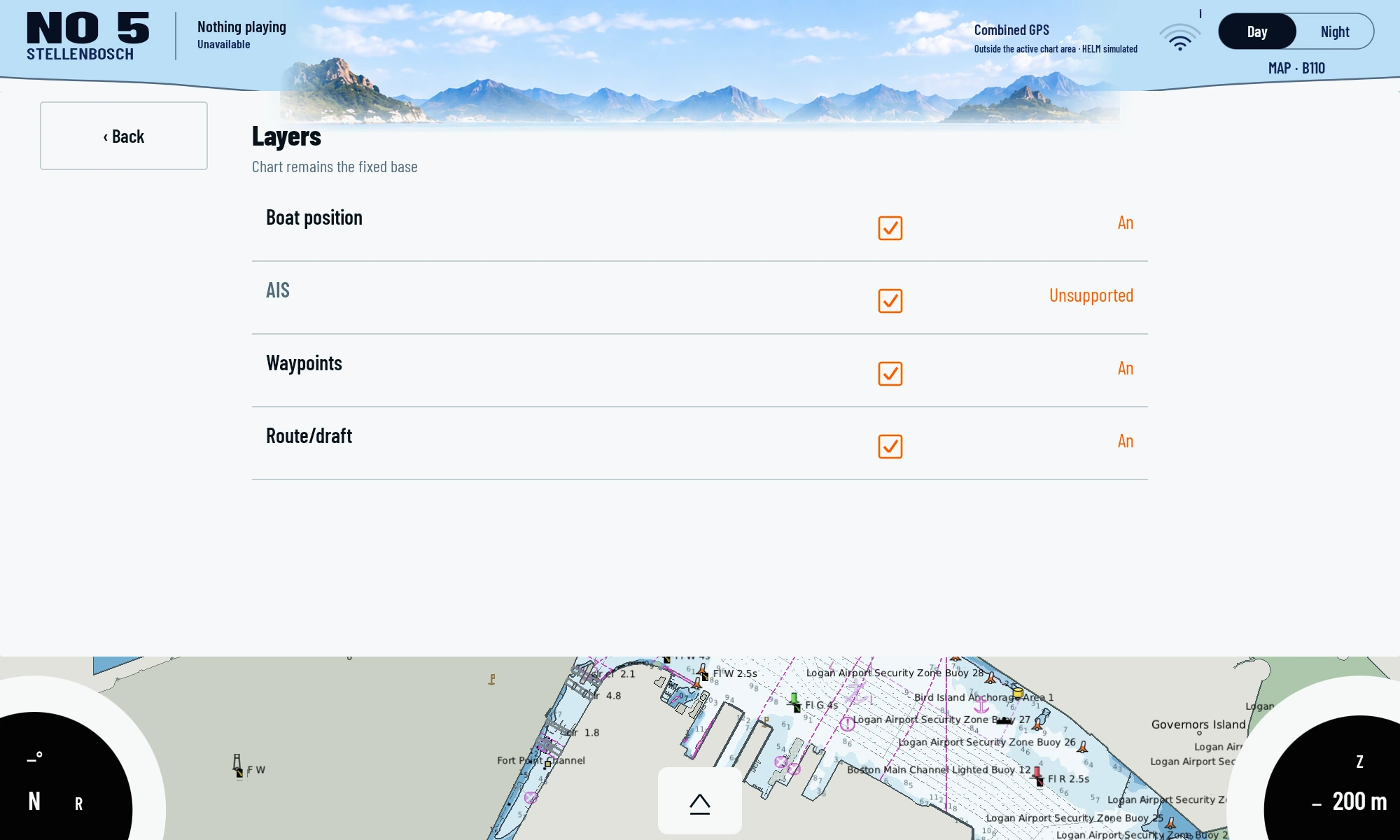
Current layers workspace: boat position, waypoints and route/draft. AIS is explicitly shown as unsupported by this service state.MAP110 ·0.5.42-memory-budget-v8 · Lumina K706 · Android10 ·2000×1200
The current object query after tapping a visible buoy returned NO_CONFIRMED_PORTRAYAL rather than attributes. This shows the observed issue; object information has not been invented.MAP110 ·0.5.42-memory-budget-v8 · Lumina K706 · Android10 ·2000×1200
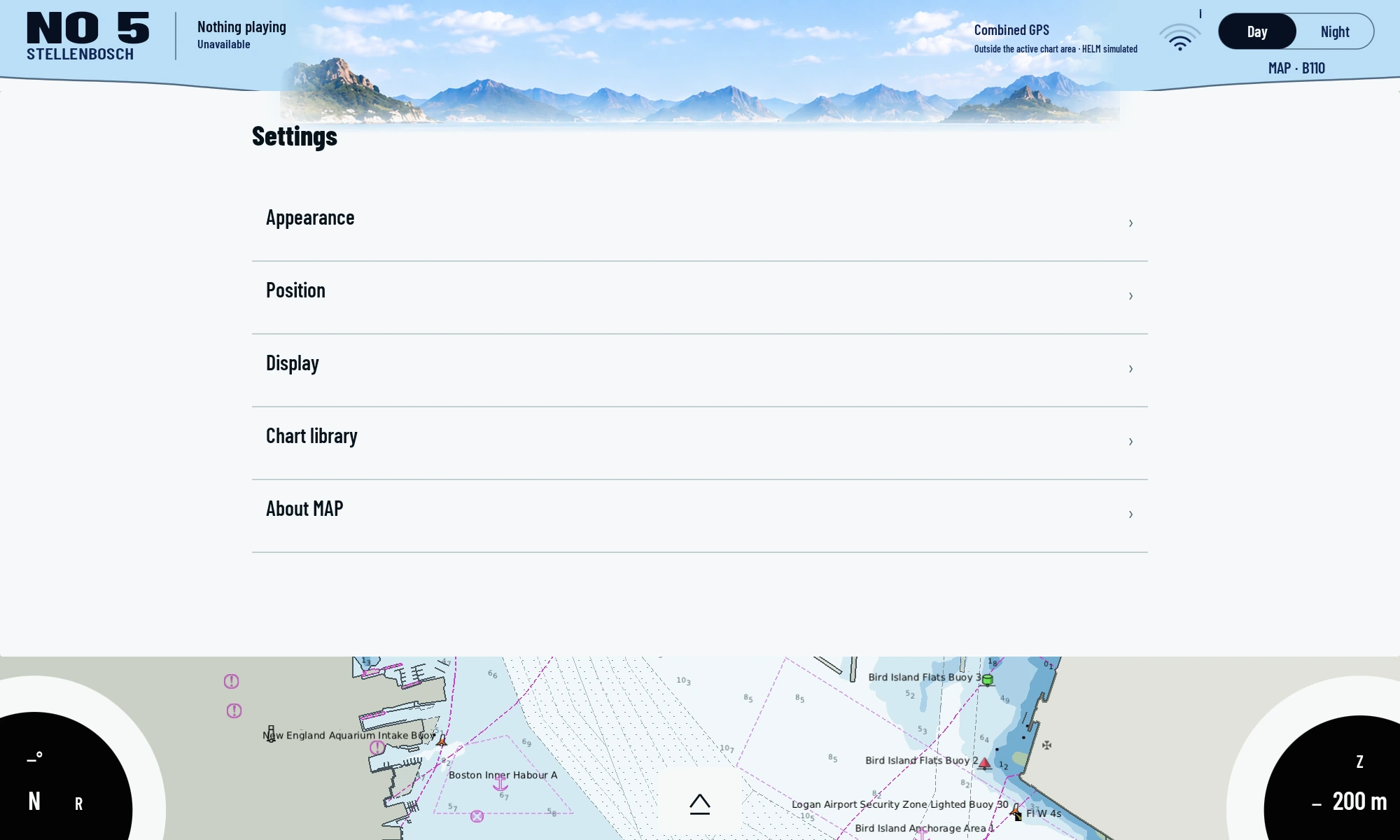
Appearance, position, display and chart library in the installed native MAP 110 app on the physical Lumina.MAP110 ·0.5.42-memory-budget-v8 · Lumina K706 · Android10 ·2000×1200
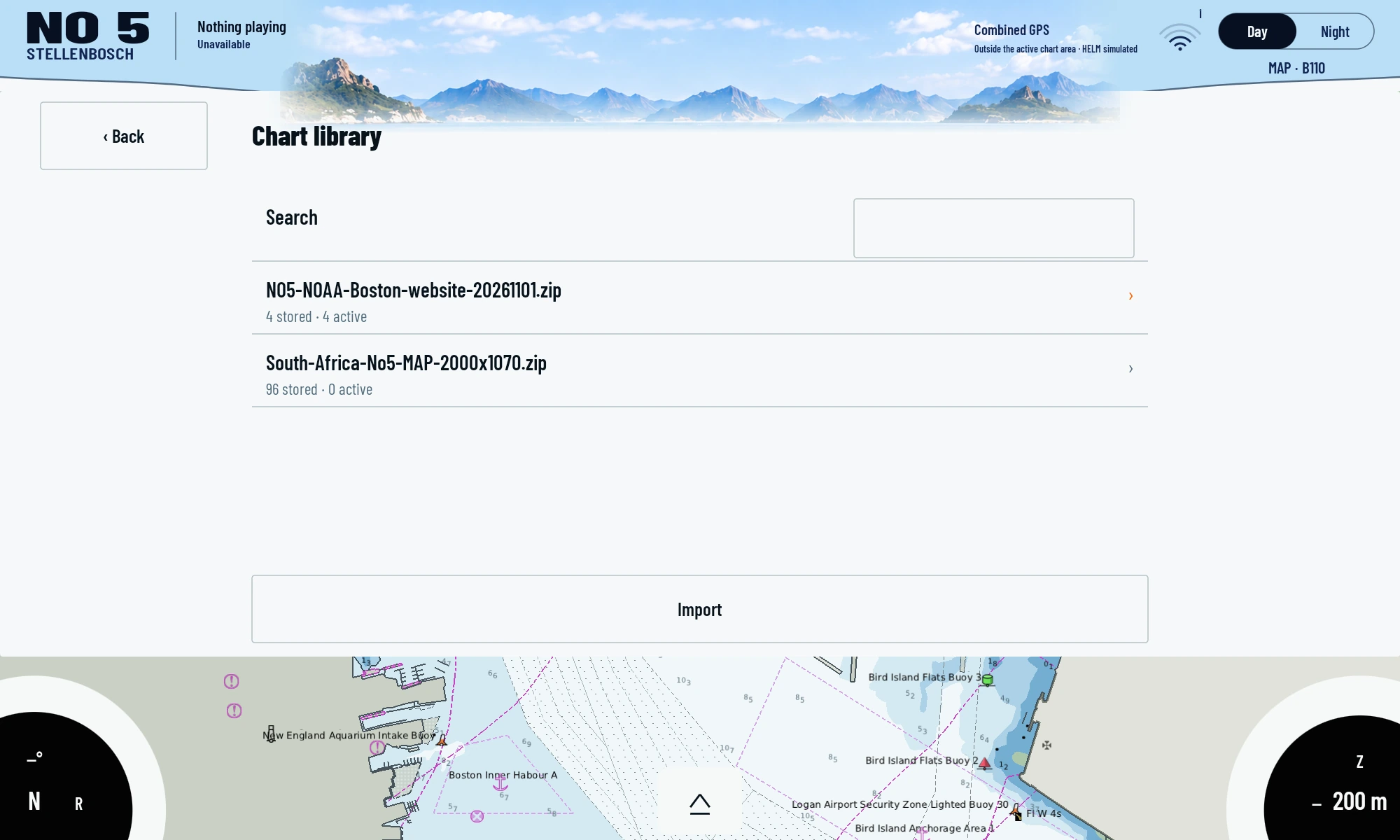
The NOAA Boston capture package was added through the regular ZIP import. The existing South Africa library was retained and selected again after capture.MAP110 ·0.5.42-memory-budget-v8 · Lumina K706 · Android10 ·2000×1200
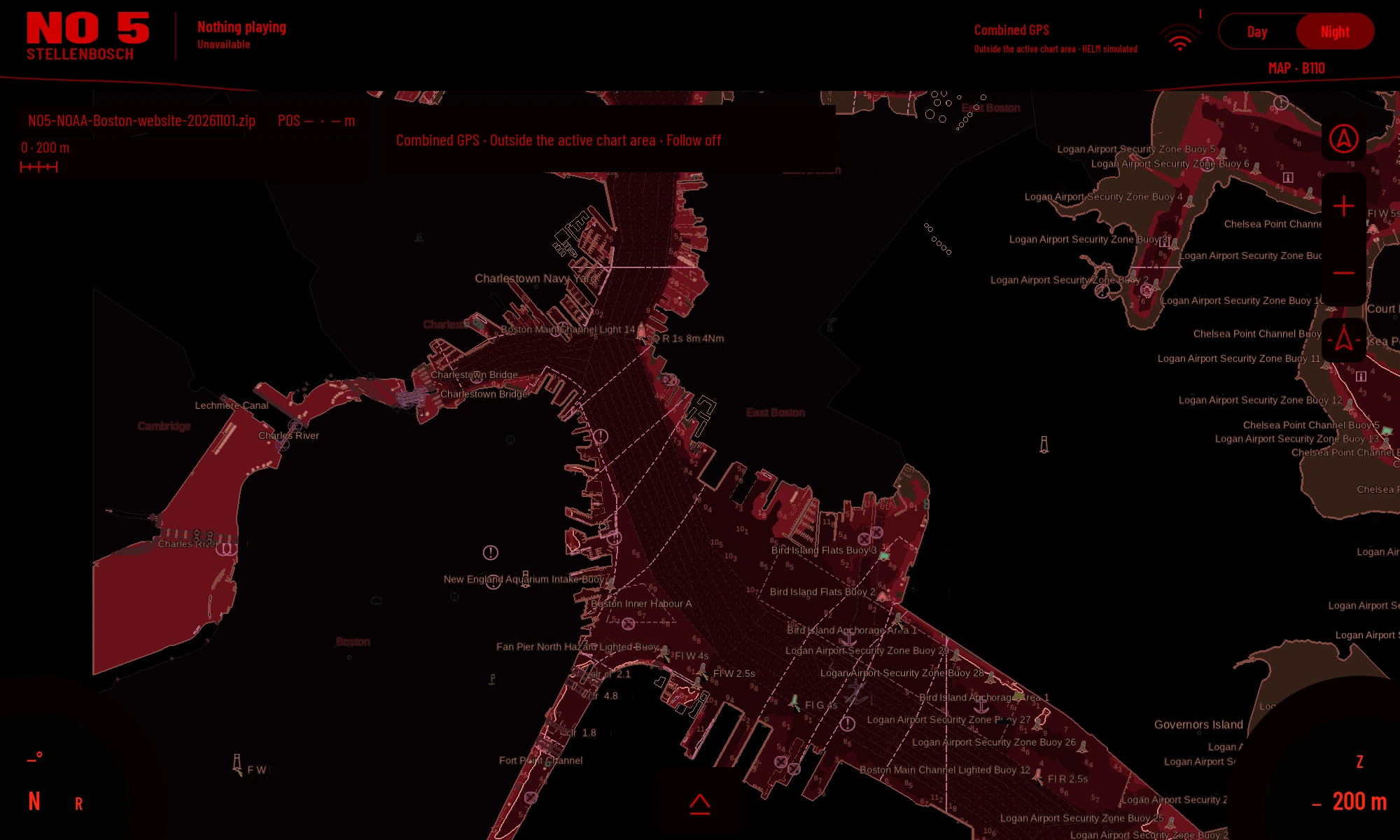
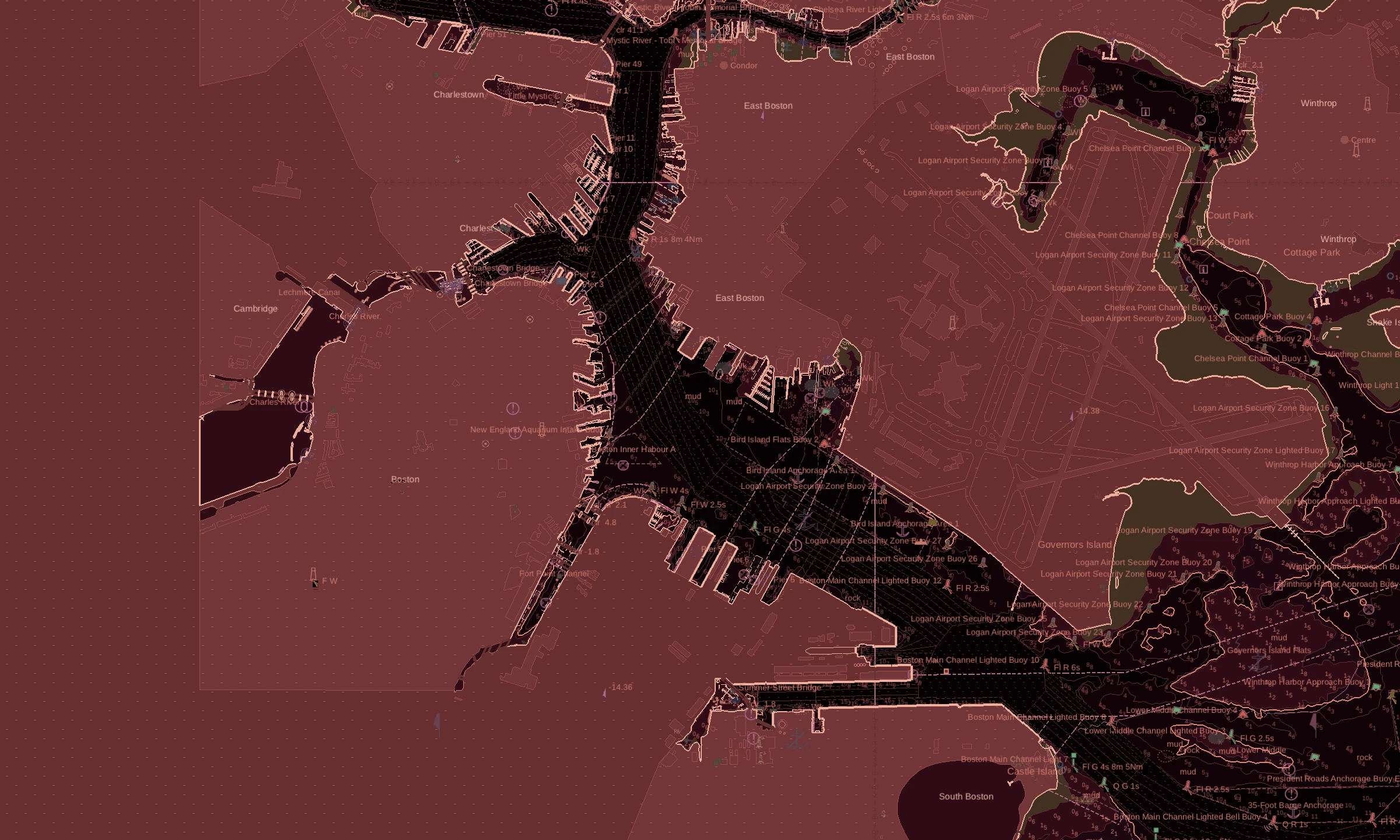
The existing red-night style on the current native MAP 110 device view using NOAA Boston data. Not a historical style simulation.MAP110 ·0.5.42-memory-budget-v8 · Lumina K706 · Android10 ·2000×1200
Earlier development revisions and designs +
These images explain the development journey. Historical test views and designs are separate from current device captures.
Boston from NOAA ENC data, rendered for chart study revision 05. Experimental rendering on the development host; not a completed navigation acceptance.
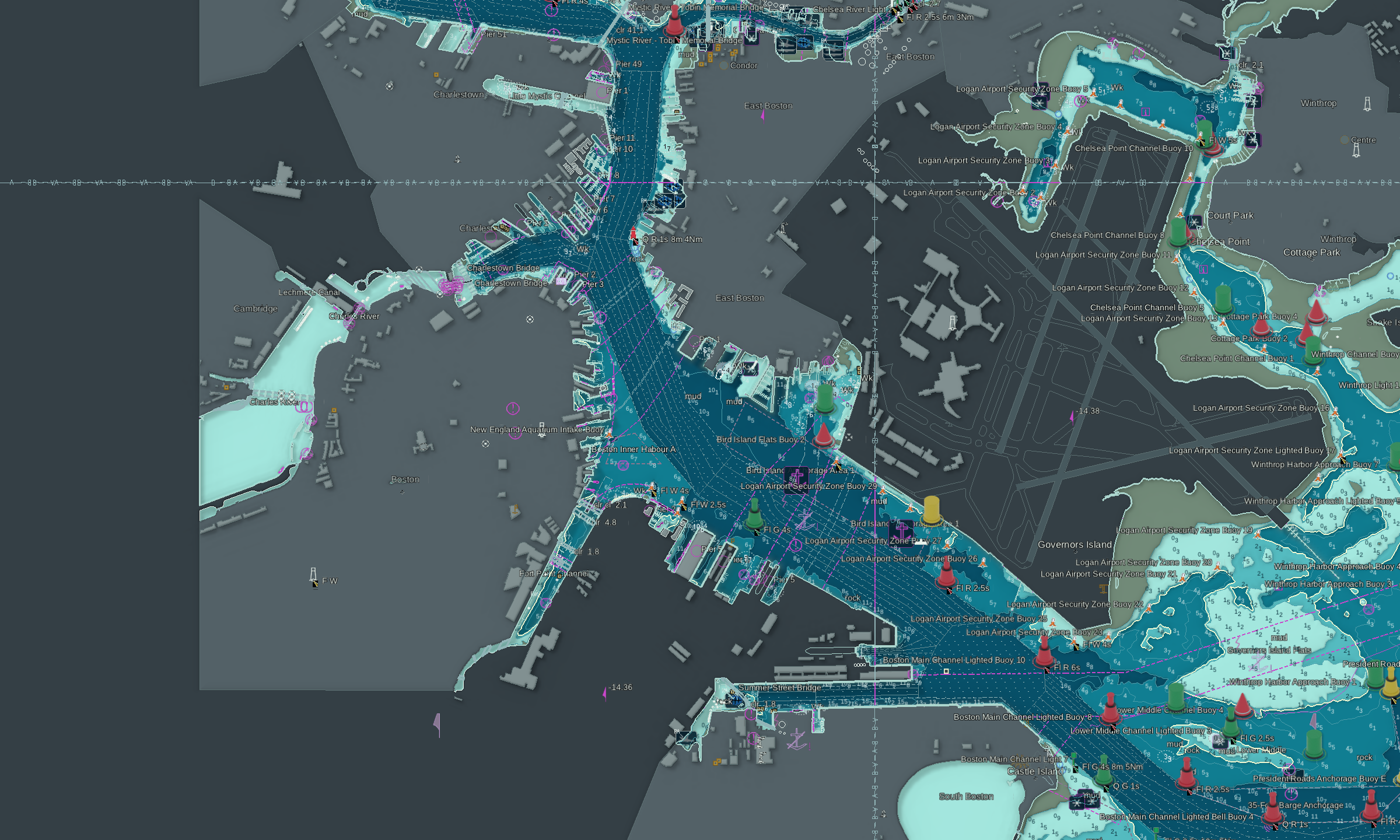
The same NOAA dataset in the custom 2.5D renderer. Graphite is a day style; relief and shadows are presentation effects.
Boston from the existing NOAA ENC dataset in the Redshore study. Actual GLES rendering on the development host in October, not a current device capture or navigation acceptance.
Route editing with three synthetic waypoints in the native Android UI simulation. The area on the right is not a nautical chart.
04 / REPRODUCE
What you will need.
Android device with suitable graphics support
Chart data licensed for the intended use
For shared routes: gateway and a reachable Signal K resources provider
The 26 October device check records a loading issue after package management. Complete nautical portrayal parity is not established.
The latest route receipt reviewed here records HTTP 503 from the resources provider. Successful remote save and delete are not accepted in that record.
Here is where you can help.
We welcome reproducible chart tests, open chart data and help with reliable shared route storage.