Large, affordable and usable: what we can get out of Android displays.
Two Luminas · device-specific integrationUpdated: 1 November 2026
Current Launcher 31 on the physical Lumina. HELM, MAP, system and maintenance share an entry point and common device controls.HOME 31 · 0.5.12-ui-parity-v8 · Lumina K706 · Android 10 · 2000 × 1200
01 / STARTING POINT
What we wanted to solve.
A large, bright and affordable display sounds like a shopping list. On a boat it becomes a question of brightness, power, connections, multiple screens and physical controls. Device restrictions and limited manufacturer support added to the work.
WHAT THIS COMPONENT MAKES POSSIBLE
The practical difference.
An inexpensive display becomes a control position we can shape. Actual platform properties and suitable profiles matter more than the Android claim on the packaging.
The K706 Luminas examined run Android 10/API 29 despite displaying Android 14. Different OEM firmware requires separate profiles. A second display is therefore a specific integration to test, rather than a promise that every device works.
We opened the Luminas, investigated their buttons and rotary controls, and adapted the Android interface in stages.
The launcher, shared header, window focus and usable screen area had to work together. A physical knob should not acquire an unclear new meaning after each app switch.
Multiple displays should show the same confirmed service state. The timing and state models we built are not equivalent to a complete measurement of synchronisation across every display.
03 / RESULTS
What exists today.
App deliveries and targeted interaction checks are documented for two physical Luminas.
Device-specific header, focus, window and diagnostic tools are preserved as a separate source collection.
Hardware photographs and development captures show the actual investigation.
Images show the development revisions identified in their captions. Today’s source may be newer than an existing image.
CURRENT PHYSICAL DEVICE CAPTURES
The controls today.
Direct captures of the installed apps. Captions identify device, version and data source; a displayed measurement is only as strong as the source described there.
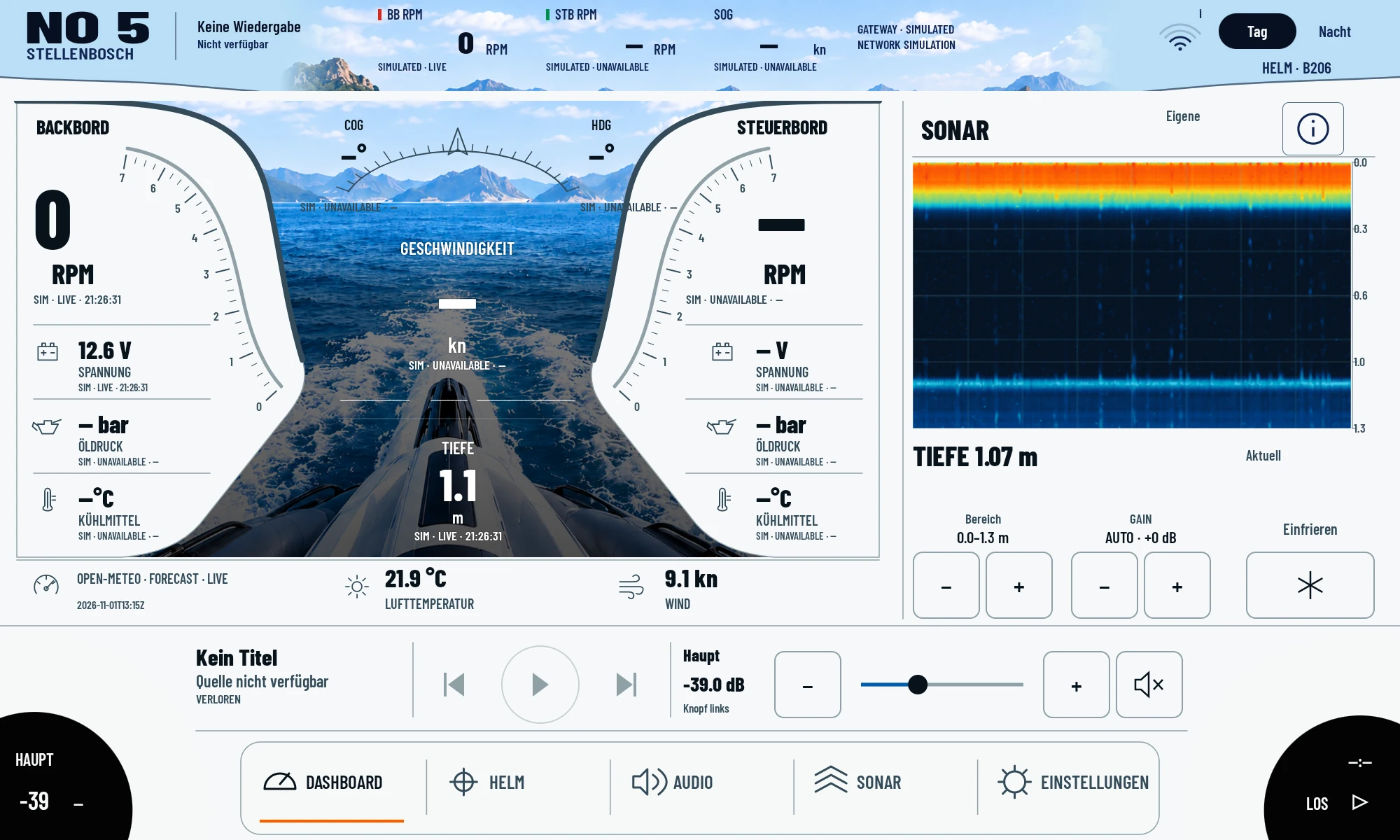
Native instruments, sonar and audio controls in one view. Sonar echoes come from the real test setup; other boat values are labelled as simulated. Playback source is not connected.HELM 206 · 0.8.134-sonar-start-depth-controls · Lumina K706 · Android 10 · 2000 × 1200
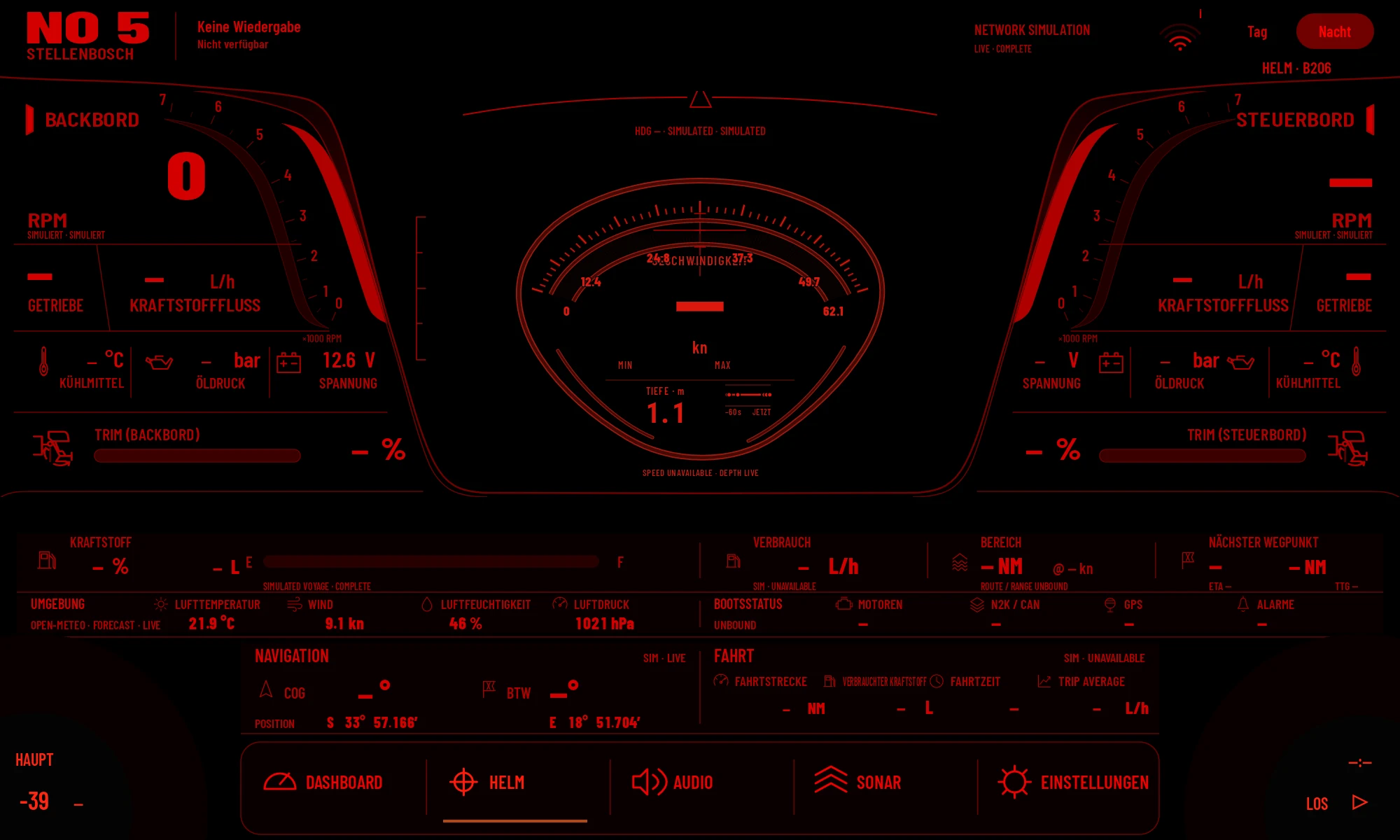
Fresh capture of the installed HELM app. Network-simulated telemetry and missing values remain visibly labelled; not captured underway.HELM 206 · 0.8.134-sonar-start-depth-controls · Lumina K706 · Android 10 · 2000 × 1200
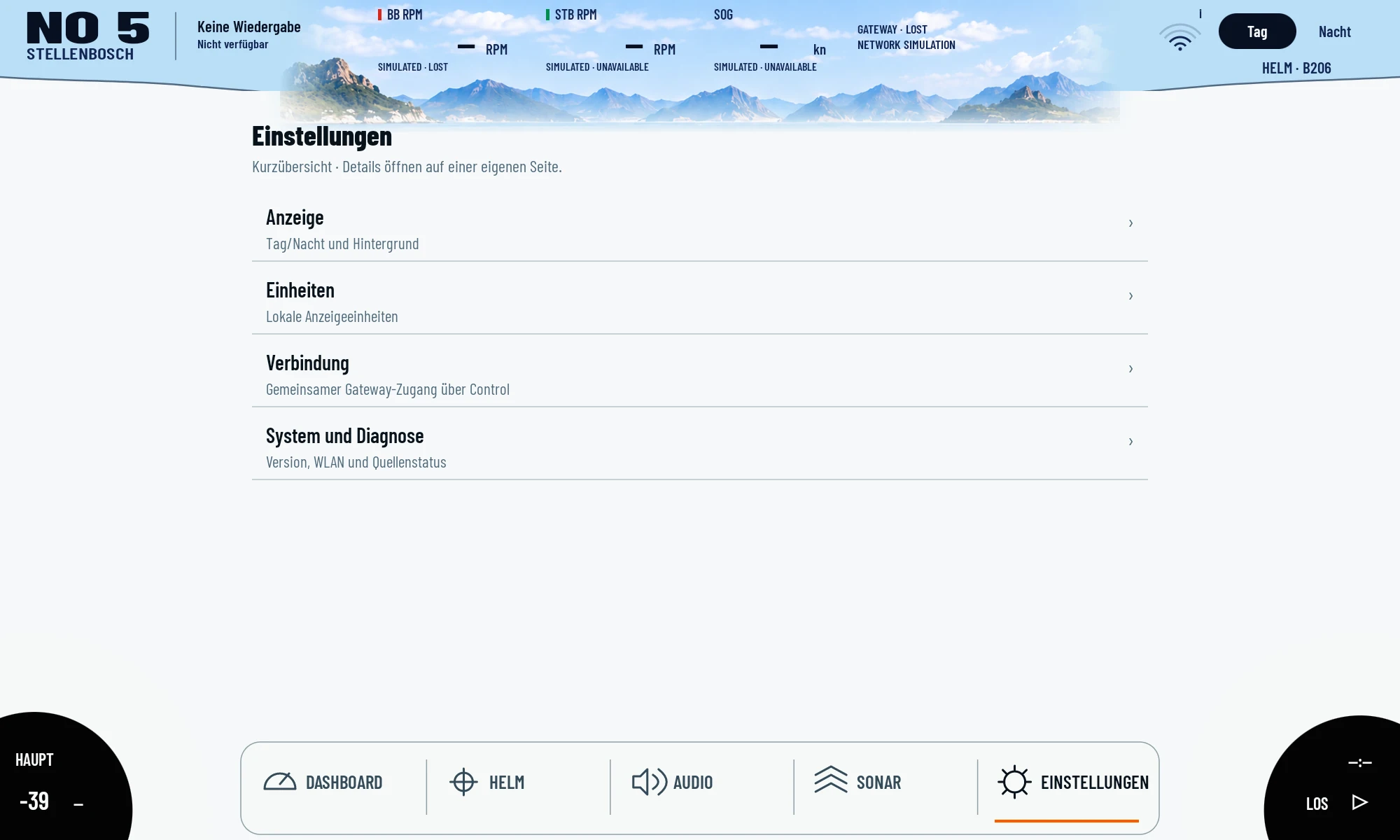
The current native settings overview: appearance, units, shared connection and diagnostics. No credentials shown.HELM 206 · 0.8.134-sonar-start-depth-controls · Lumina K706 · Android 10 · 2000 × 1200
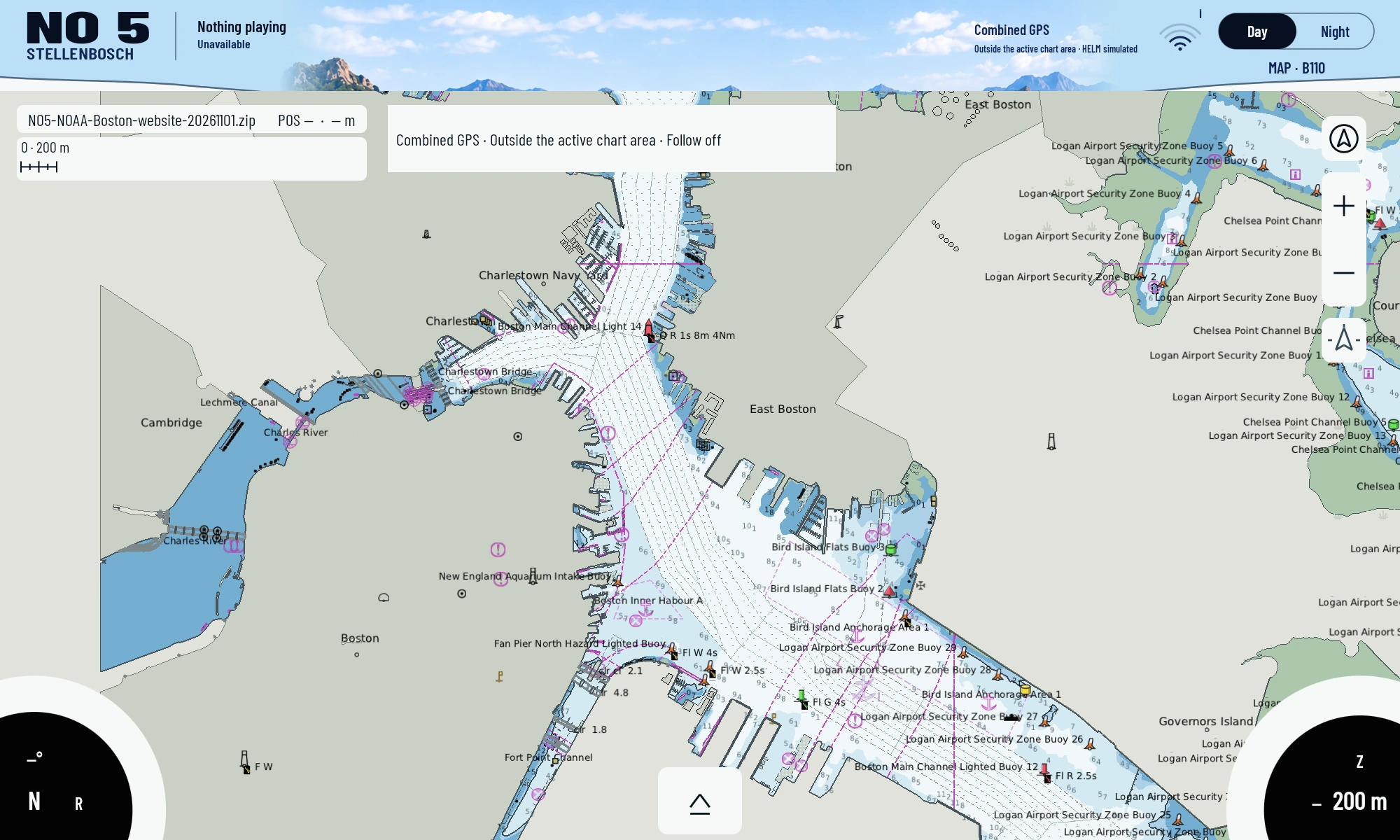
Current device capture on 1 November: NOAA Boston charts rendered locally on the Lumina. The chart dataset was accessed on 3 October; position outside the chart area, other header data simulated or unavailable.MAP110 ·0.5.42-memory-budget-v8 · Lumina K706 · Android10 ·2000×1200
Earlier development revisions and designs +
These images explain the development journey. Historical test views and designs are separate from current device captures.
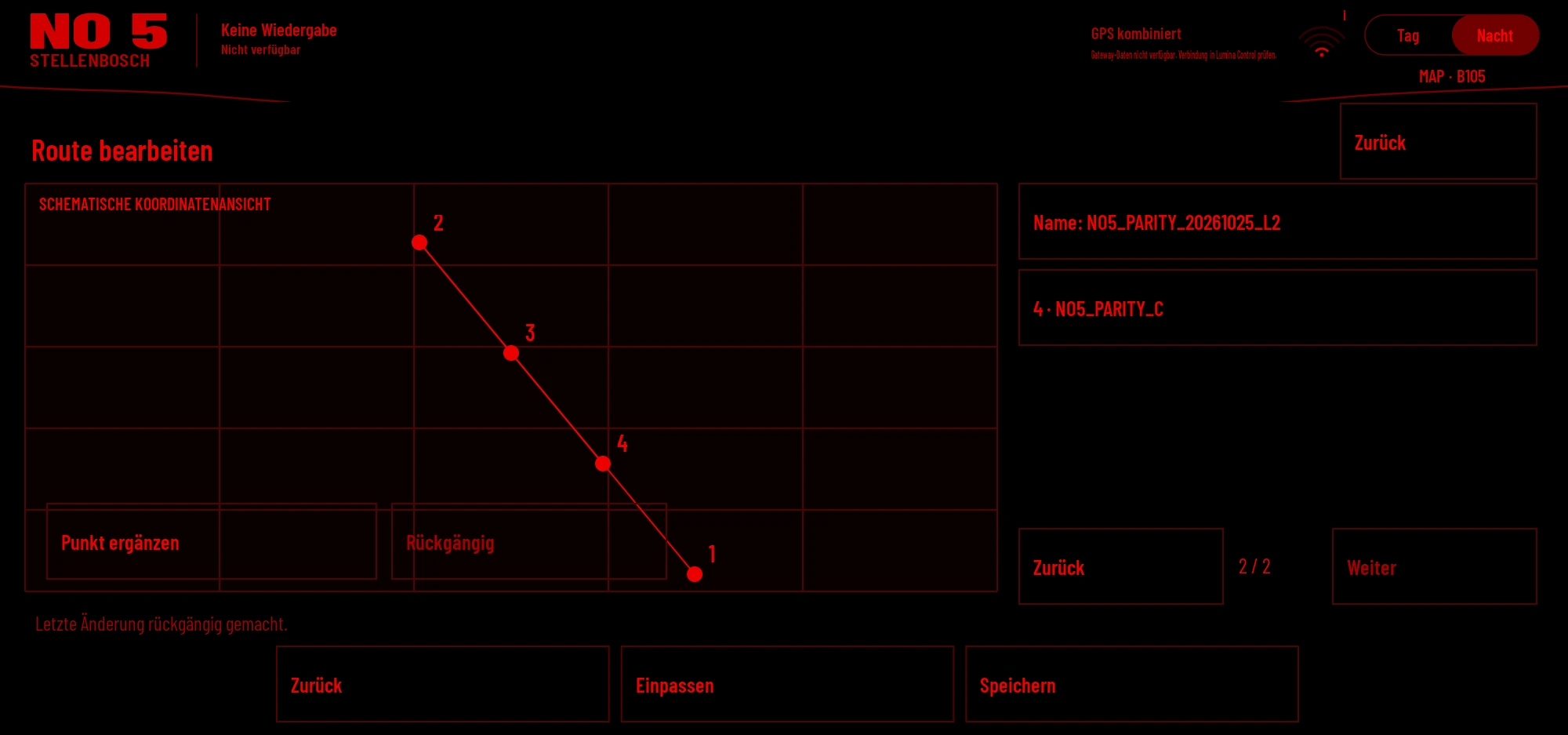
Cropped native MAP B105 workspace on Lumina 2, 25 October. The four points belong to an own test route; the grid is not a nautical chart. The remote save attempt remained open with HTTP 503.
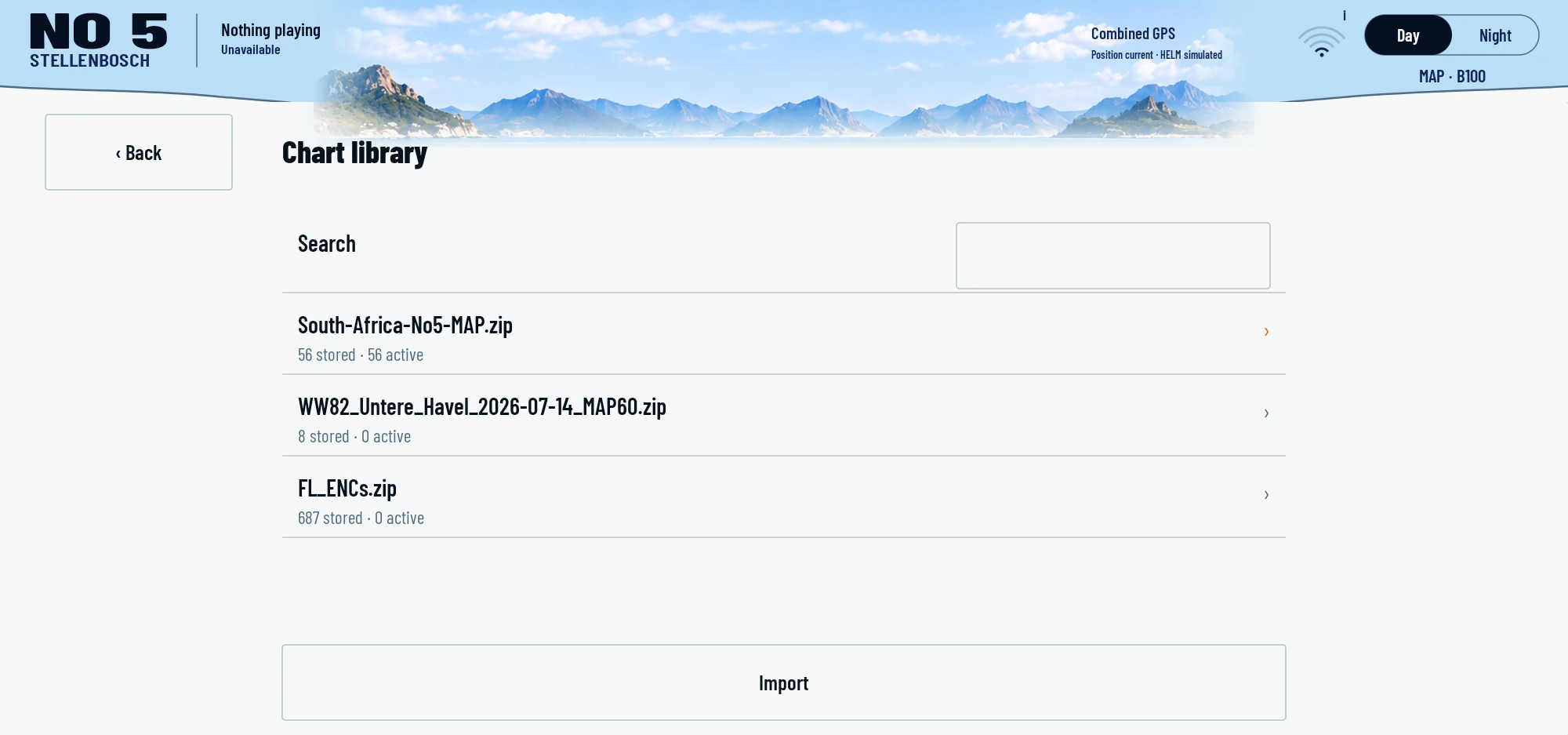
The native chart library on Lumina 1 shows installed packages and cell counts. Cropped on 24 October; it shows the management interface and package names, not downloadable chart data.
04 / REPRODUCE
What you will need.
A specifically supported Android device; device-level modifications are not universally transferable
Suitable 12 V power, mounting and protection at the installation site
For low-level modifications: Android and electronics skills